How to make a flight Booking.
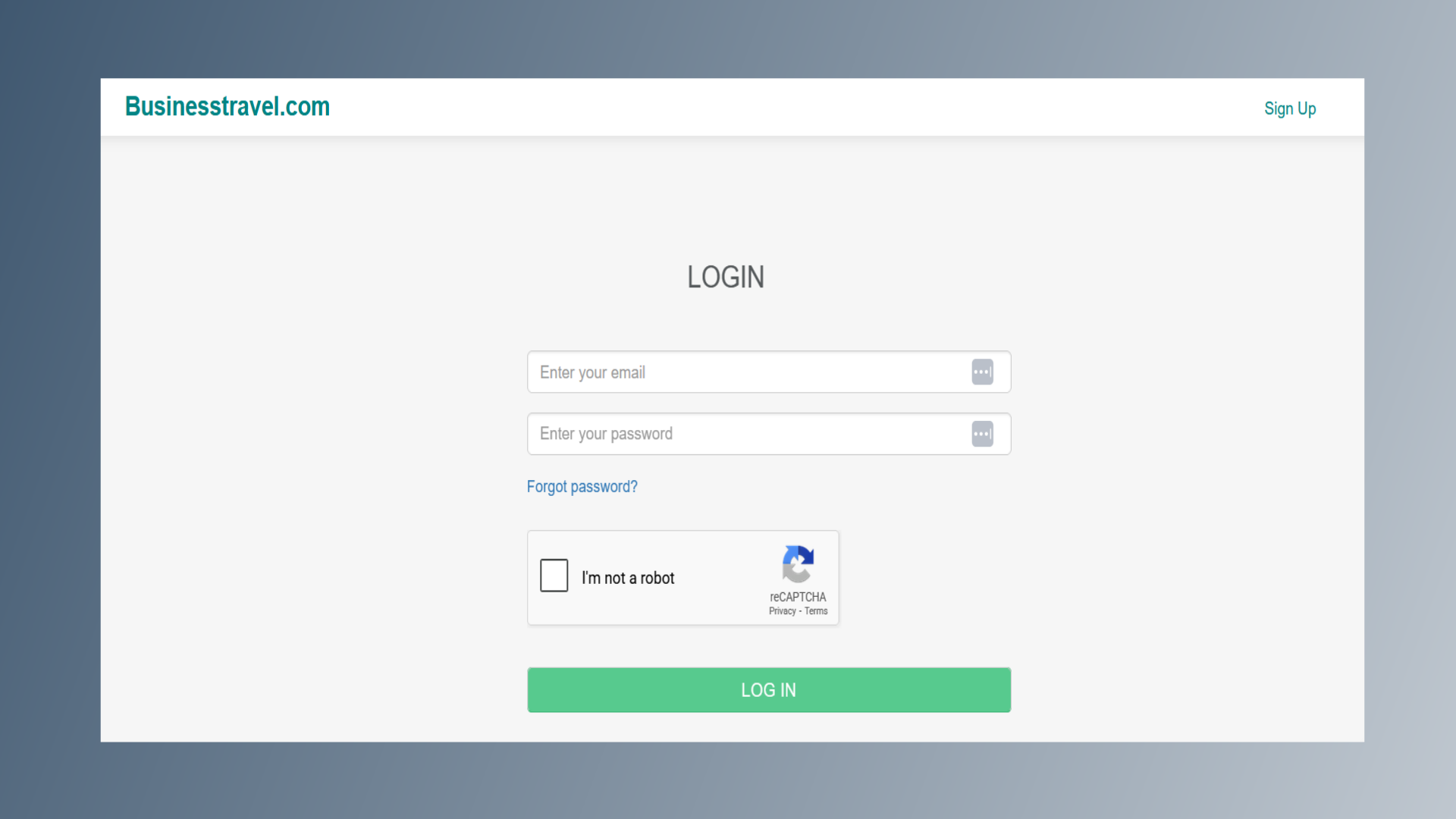
1. Login Page
Log in to the BusinessTravel.com website using your credentials.
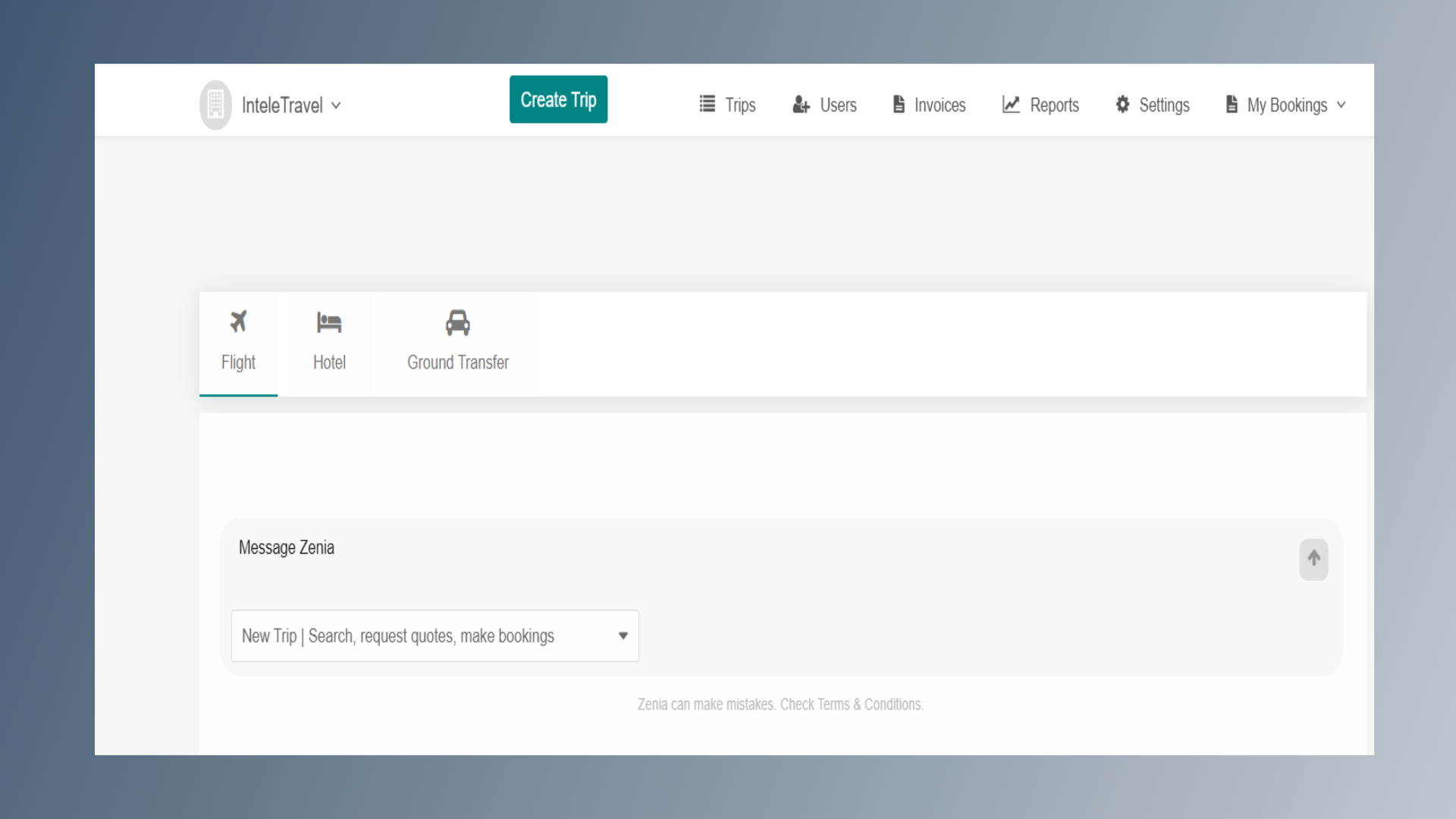
2. Home Page
After logging in, you will be directed to the home page.
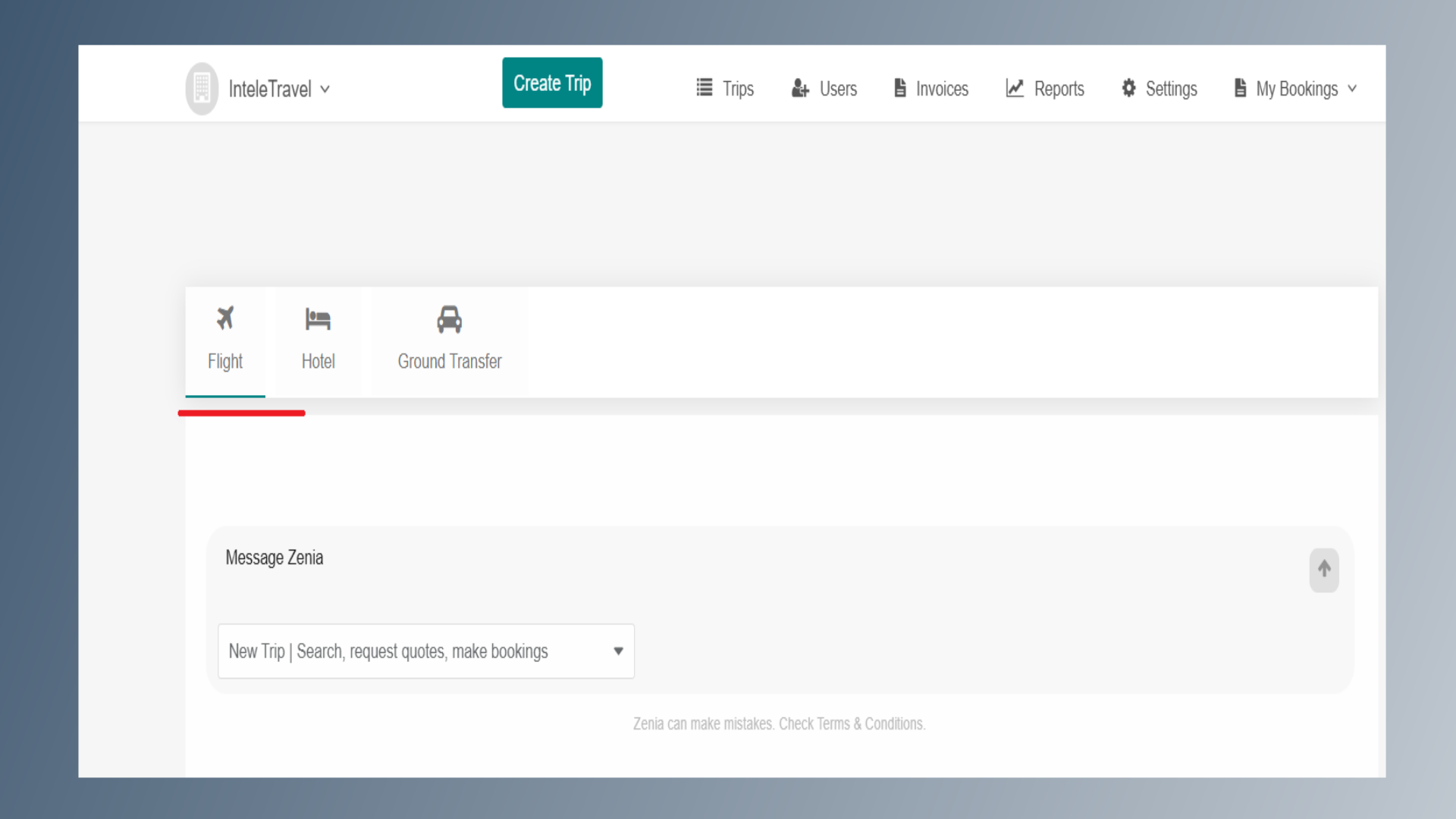
3. Flight
Click on the Flight option.
4. Travel Plan Details
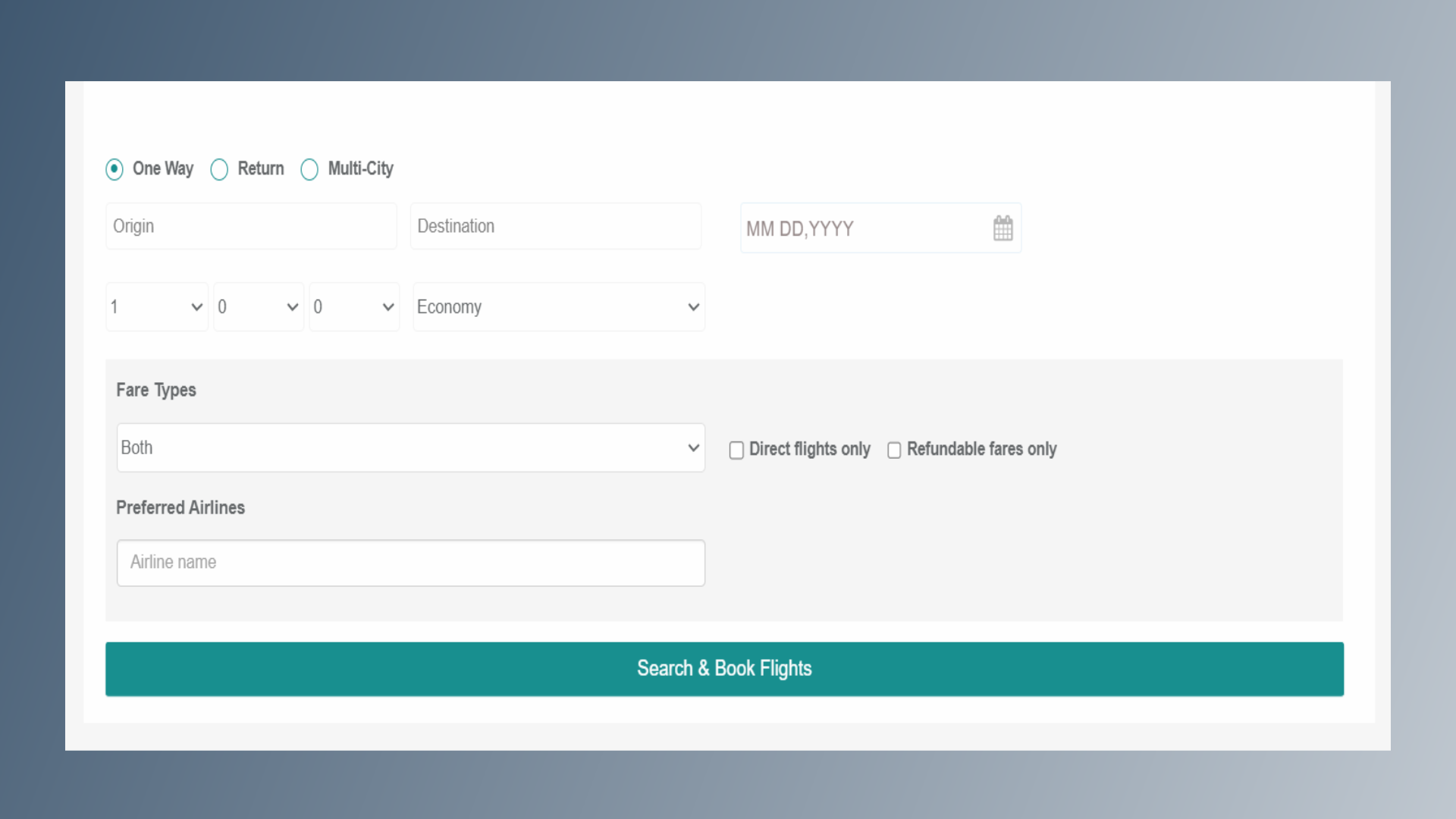
Select your Journey Type: One Way Return Multi-City Update the following details: Origin Destination Travel Date Select: Number of Passengers Preferred Cabin Class (Economy, Premium Economy, Business, or First Class) Choose the Fare Type: Both Regular Fares Negotiated Fares (Optional) Select your preferred flight options: Direct flights only Refundable fares only If you have a preferred airline, enter the airline name under Preferred Airline. After entering all travel details, click on Search.
5. Availability
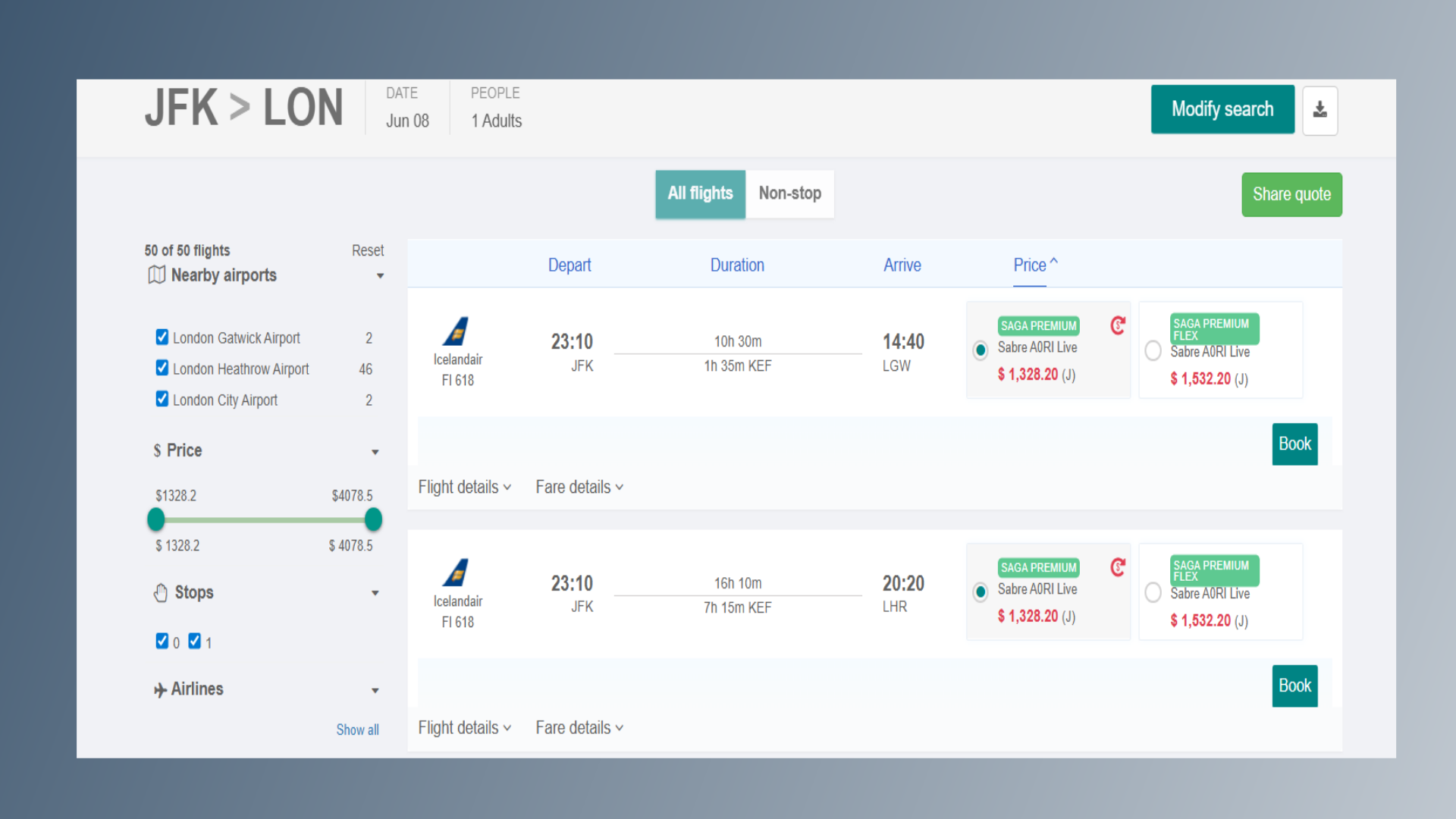
You will be directed to the Availability Page. Click on the Book option for your desired flight.
6. Review your flight details
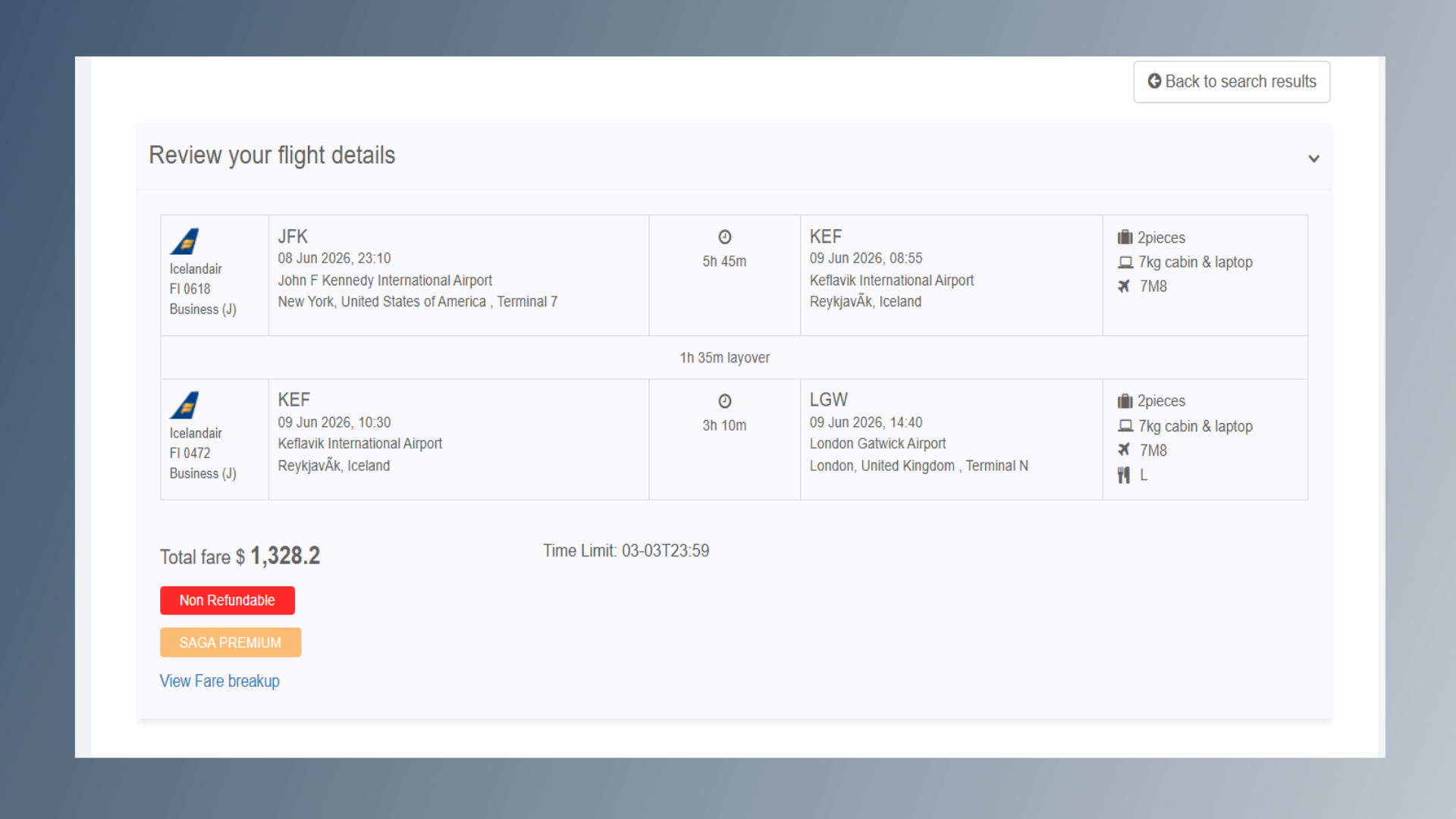
On the next page, review your: Flight details Fare type Price and taxes
7. Add Traveler Details
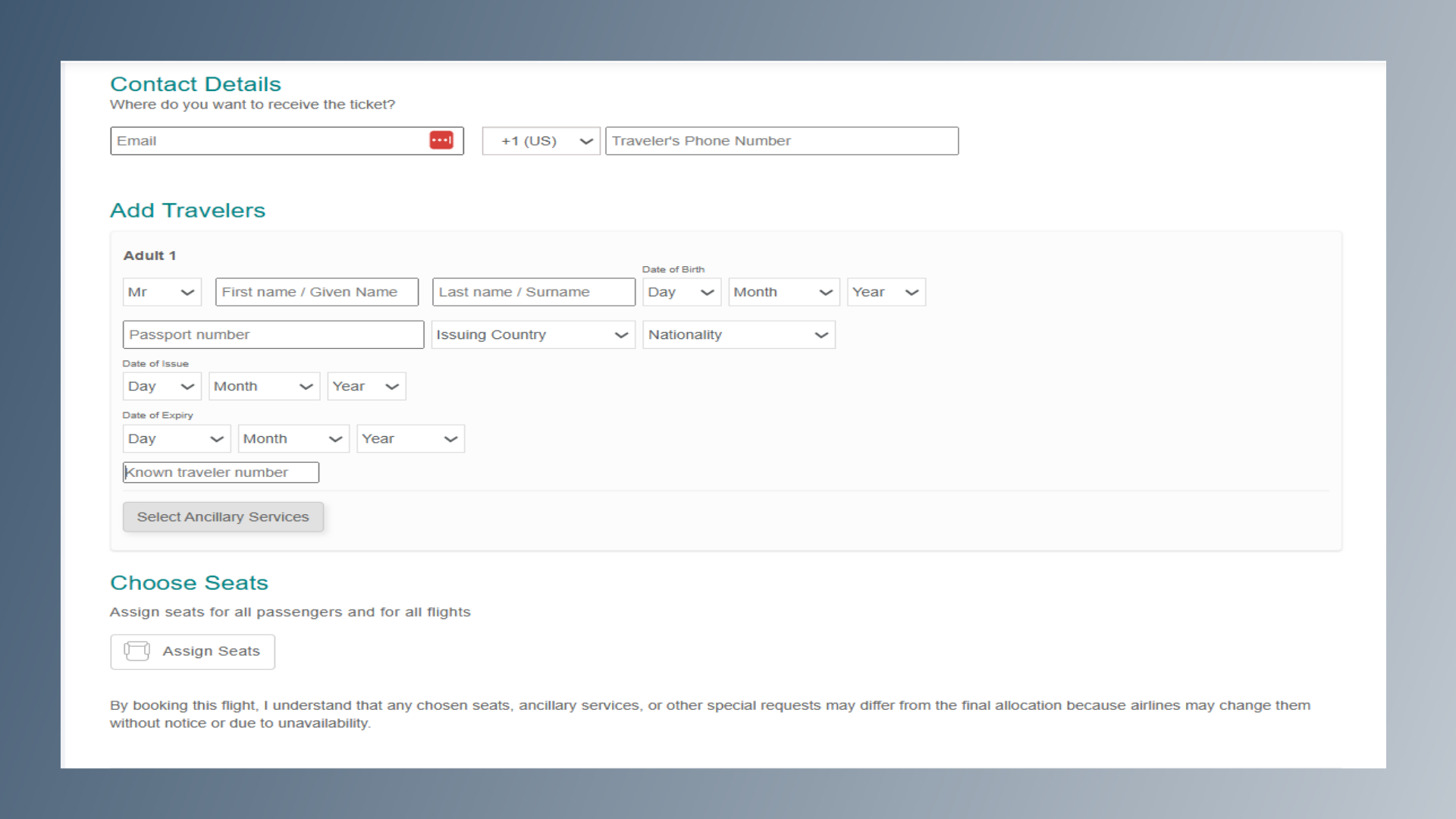
Enter traveler details: Passenger name Passport number and Other required information
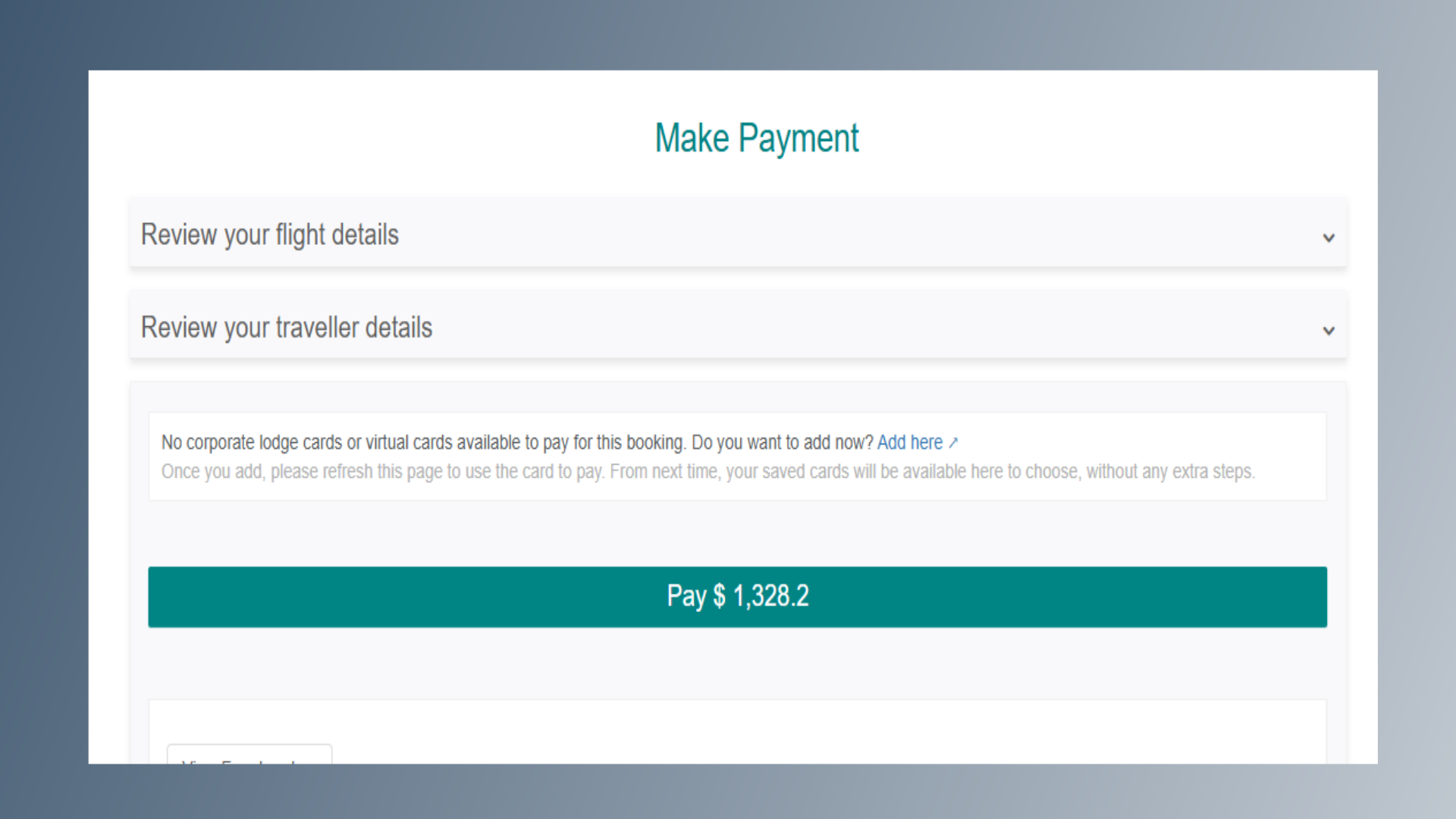
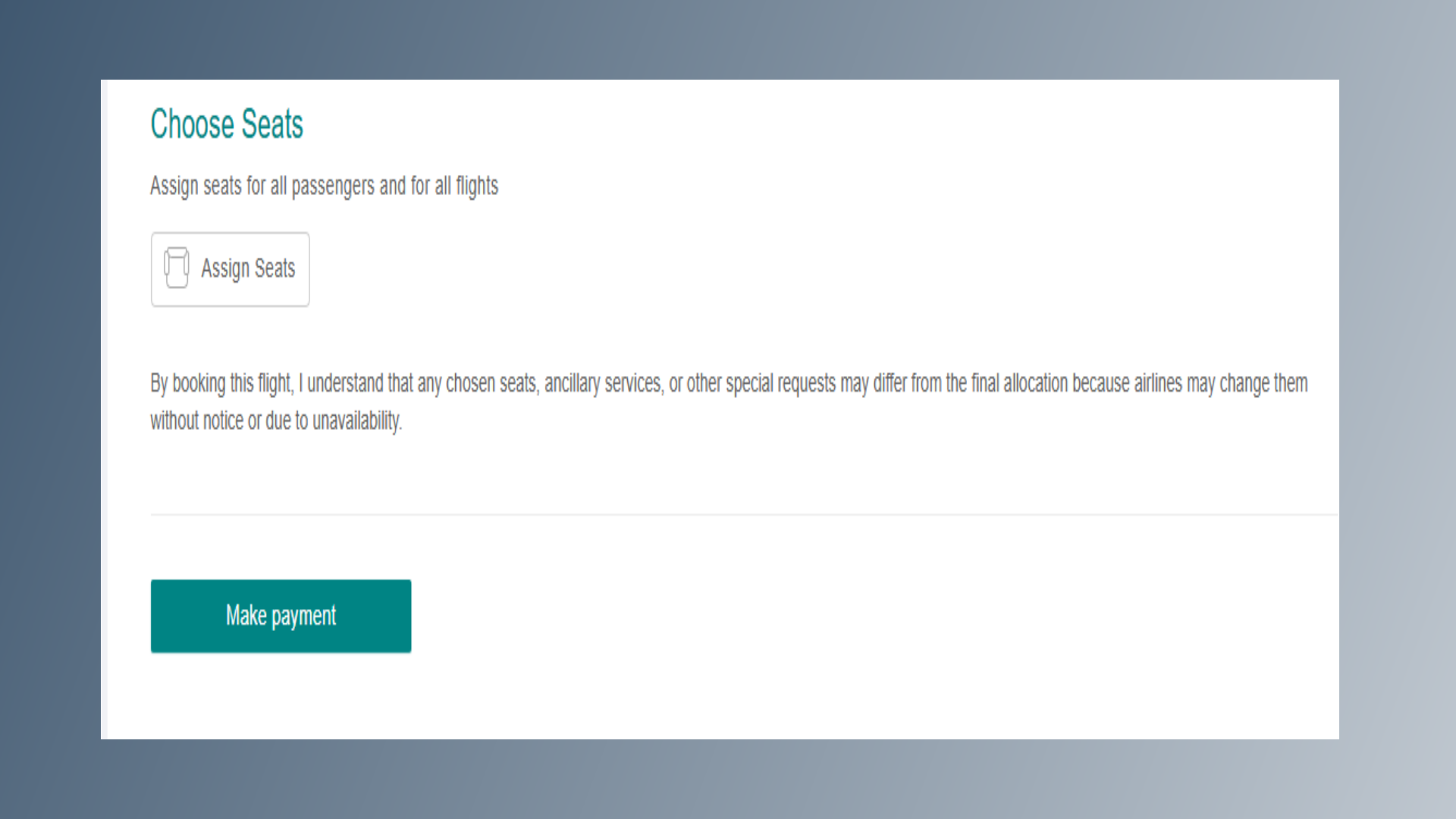
8. Make Payment
Once all details are updated, click on Make Payment to proceed to the payment page.
9. Complete Payment & Booking
Review your flight and traveler details again. If everything is correct, click on the Pay button to complete the payment. Once the payment is successful, your booking will be confirmed, and you will receive a confirmation email immediately.