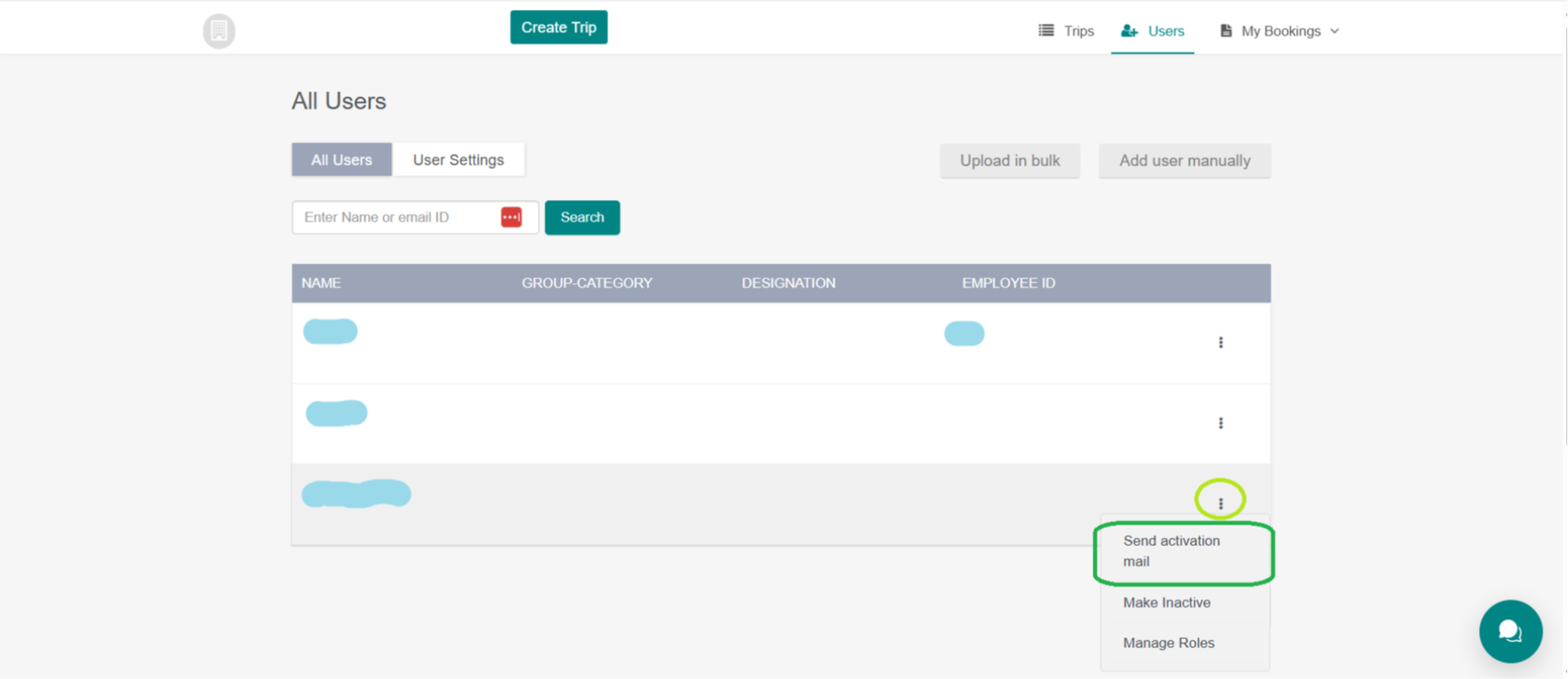
How to send an employee access to the platform so they can book themselves
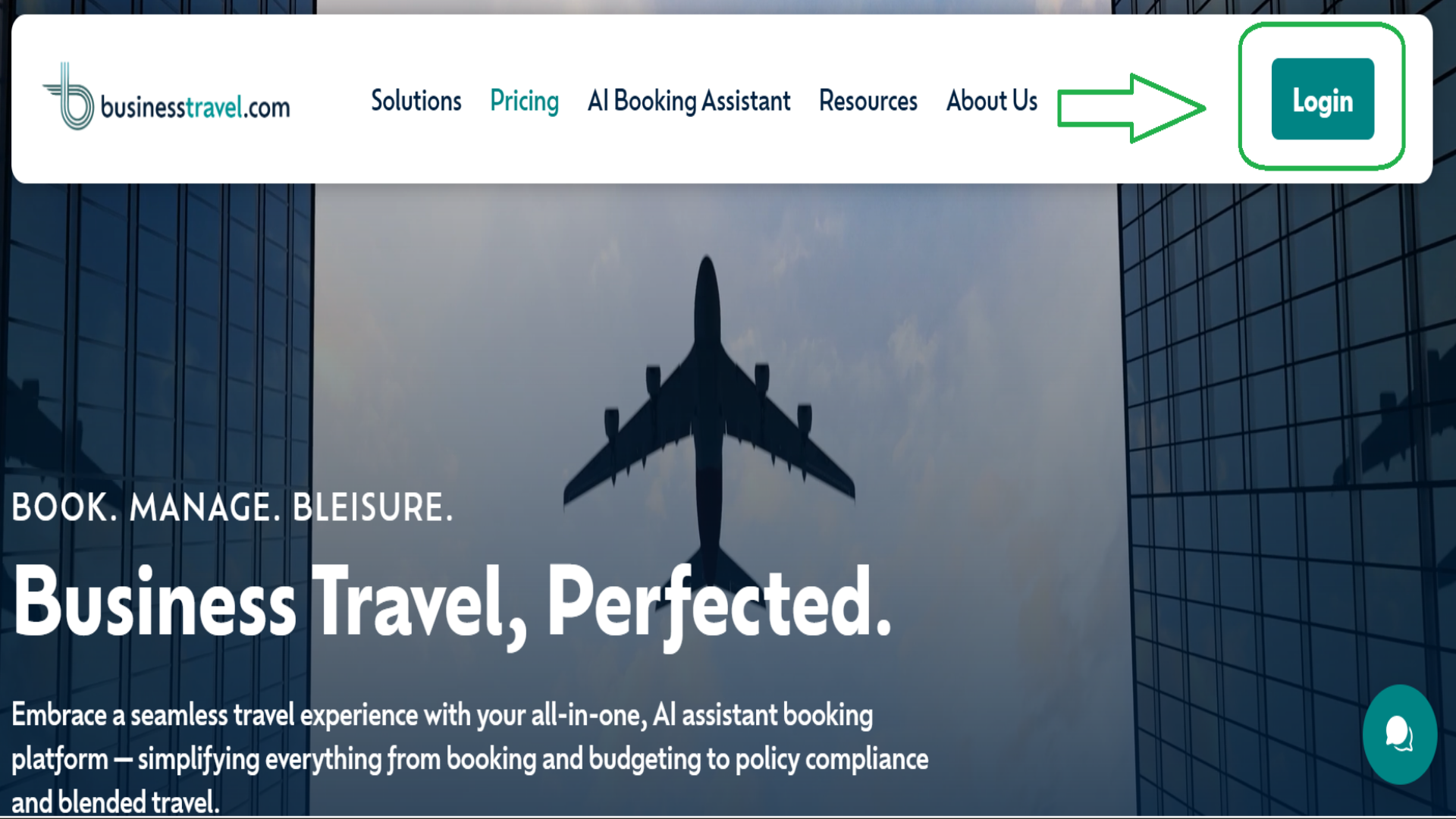
1. Login
Please click Login to proceed
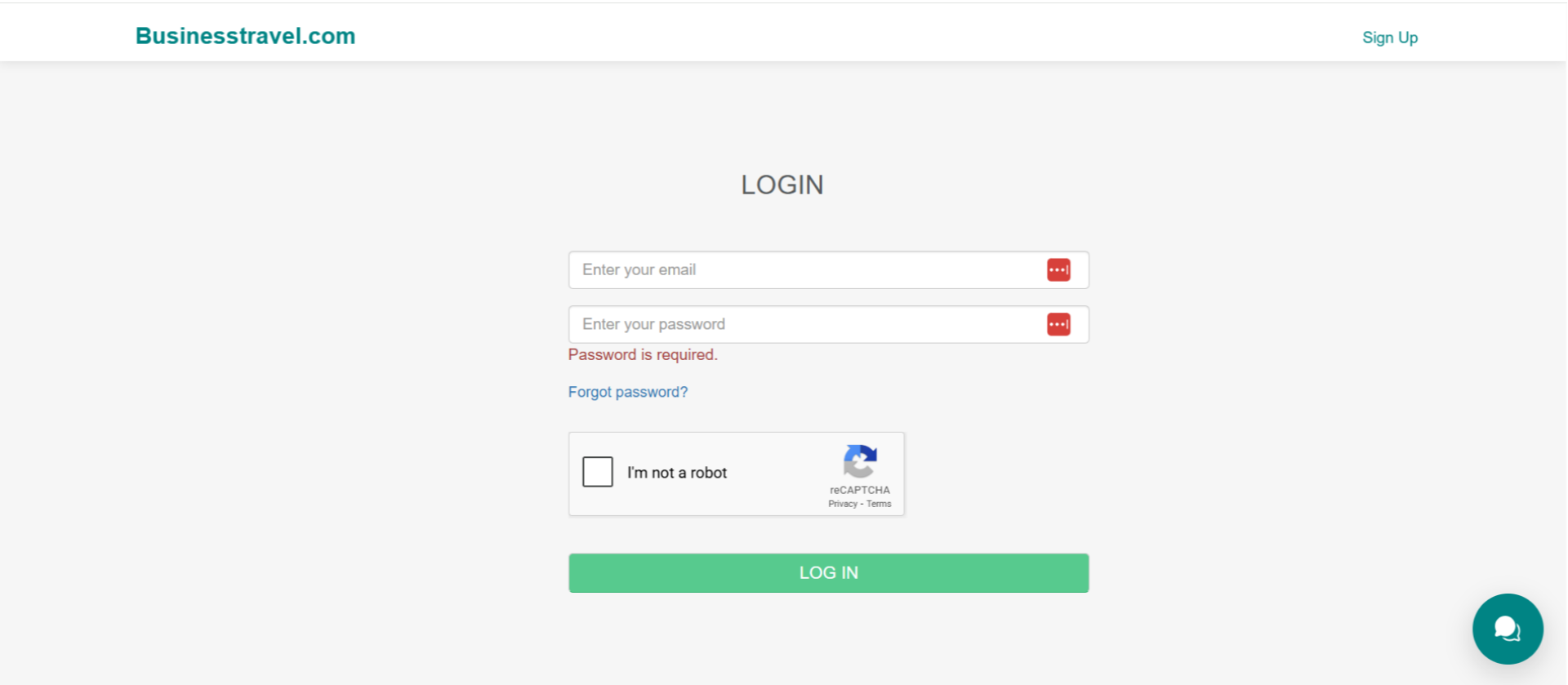
2. Fill in all required details
Fill in all required details, enter your email ID and password, verify the CAPTCHA by selecting ‘I am not a robot,’ and click on Log in
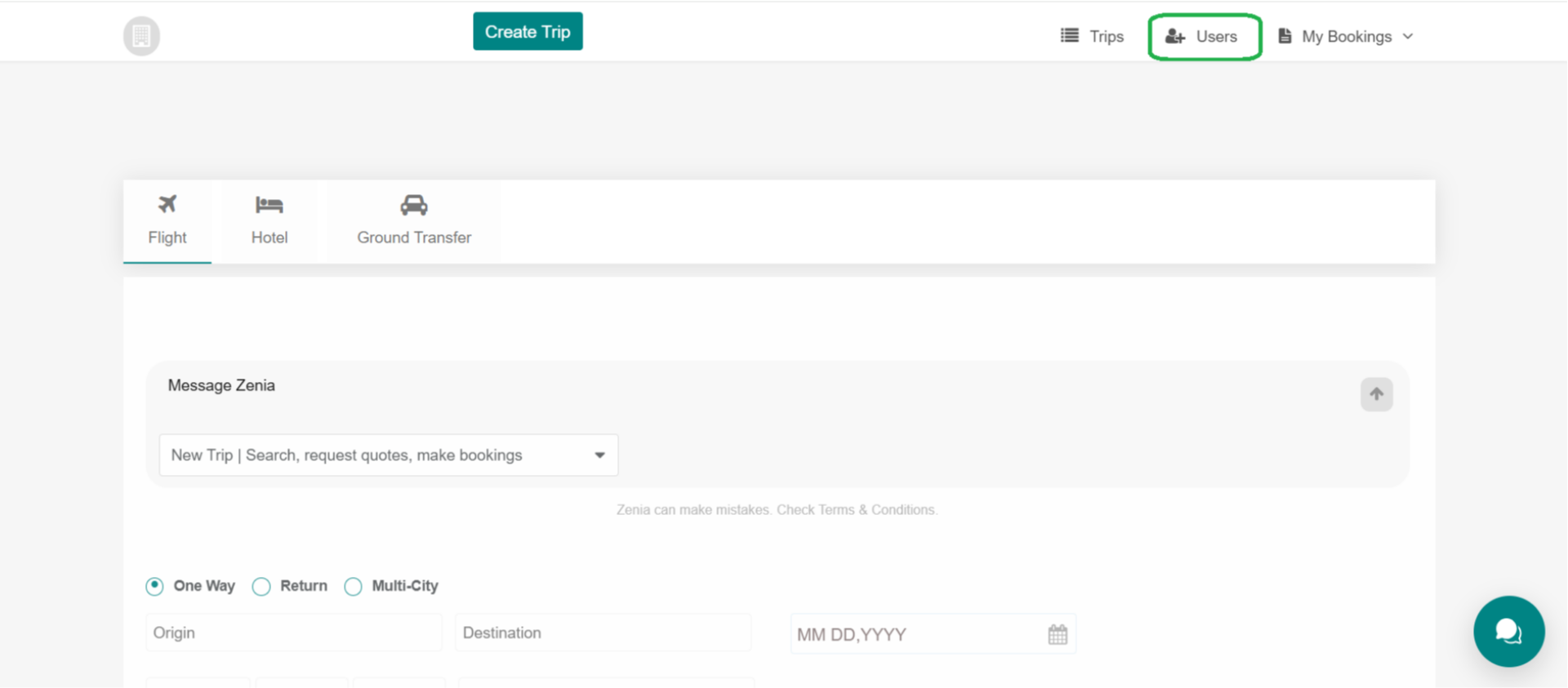
3. Users
After logging in, go to the Users section
4. All Users
You will see the All Users page with the list of employees
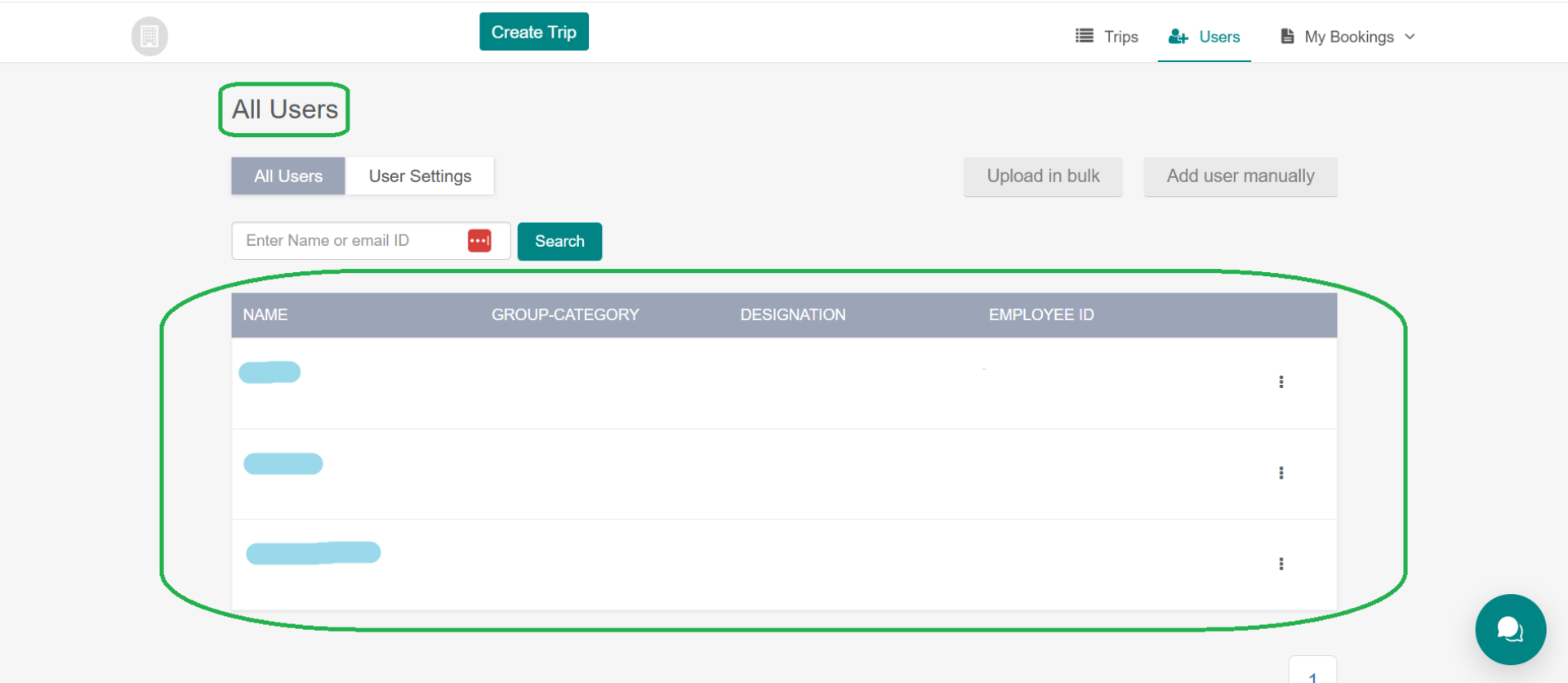
5. Activation
Select the employee, open the three-dot menu beside their name, and choose Send Activation Mail. This sends an activation email to the employee’s registered email address, allowing them to log in to the BusinessTravel.com platform using their email address and password. Once logged in through the activation email, the employee has access to the platform and can book their own travel